Teaching AI by Showing, Not Typing: What Claude Cowork Changes
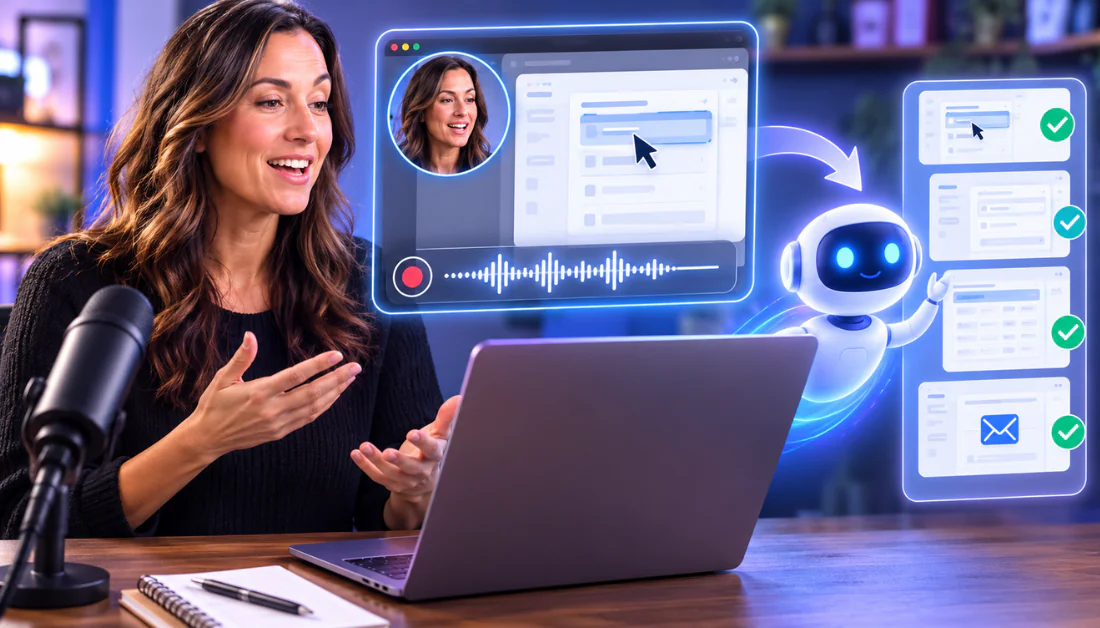
A quietly significant development in AI workflow automation tools has emerged from the Claude ecosystem. Claude Cowork, a productivity layer built around Anthropic's Claude AI, has introduced a feature called "Record a Skill" — and for developers, IT managers, and small business owners already drowning in repetitive operational tasks, it deserves serious attention. Rather than writing lengthy prompt chains or structured documentation to instruct an AI assistant, users can now record themselves completing a task, narrate what they're doing in real time, and let Claude transform that recording into a reusable, automated workflow.
The implications are broader than they might first appear. For years, the friction point in AI adoption hasn't been capability — it's been the translation layer between what a human expert knows how to do and what an AI system can replicate. Most professionals don't want to write technical specifications. They want to demonstrate, hand off, and move on. Claude Cowork's Record a Skill feature is an attempt to close that gap by making AI instruction as intuitive as showing a new colleague how something works.

How "Record a Skill" Actually Works — and Why the Approach Is Different
The core mechanic is straightforward: a user activates the recording function within Claude Cowork, performs a task — say, reformatting a monthly report, extracting data from a spreadsheet, or moving information between two SaaS platforms — and narrates their actions as they go. Claude processes both the visual demonstration and the spoken explanation, then synthesises that into a structured skill the AI can replicate on demand.
This matters because it inverts the typical AI adoption workflow. Traditionally, deploying an AI assistant for a recurring business process requires either detailed prompt engineering or custom integration development — both of which demand technical knowledge. According to research from McKinsey's Global Institute, approximately 60% of employees spend at least 20% of their working time on tasks that could be automated, yet adoption of automation tools remains uneven, largely due to setup complexity. Record a Skill targets that setup complexity directly.
The approach also has implications for knowledge transfer within organisations. When an experienced team member records the way they handle a nuanced, multi-step process, that institutional knowledge becomes encoded in an AI skill — shareable, auditable, and repeatable. For IT decision-makers managing distributed teams or high staff turnover, that's not a convenience feature; it's an operational resilience tool.
Is This Actually a Virtual Assistant Replacement — or Just a Better Macro?
The framing of "I'm never hiring a VA again" is punchy, but it's worth stress-testing that claim for a professional audience. Virtual assistants — human ones — are typically hired for a combination of task execution, judgement calls, client-facing communication, and reactive problem-solving. What AI workflow automation tools like Claude Cowork excel at is the first category: structured, repeatable execution of defined processes.
The more honest comparison is with no-code automation platforms like Zapier, Make (formerly Integromat), or Microsoft Power Automate. Those tools also enable workflow automation without heavy coding, but they require users to manually map triggers, actions, and conditions through a graphical interface. Record a Skill bypasses that interface entirely. Instead of configuring a workflow, you perform it — and the AI infers the structure.
This is where the tool's appeal to small business owners and entrepreneurs becomes clearest. A solo founder who knows how to process client onboarding forms in Google Sheets but has never touched a Zapier zap can now capture that process in minutes. The knowledge barrier drops significantly.
"The hardest part of AI adoption isn't the technology — it's getting domain knowledge out of people's heads and into a format the system can act on. Demonstration-based learning solves a real problem."
— AI workflow design specialist, enterprise automation sectorThat said, the feature is unlikely to replace VAs in roles that involve emotional intelligence, novel problem-solving, or nuanced stakeholder communication. Where it genuinely competes is in the category of tasks that are well-defined, document-heavy, and repeated frequently — which, for many SMEs and solo operators, is a substantial portion of their weekly operations overhead.
What Privacy Professionals and GDPR-Aware Teams Need to Know
For the audience most relevant to this platform — privacy professionals, IT decision-makers operating under GDPR, and organisations with data sovereignty concerns — the critical questions around any AI tool that processes recorded workflows are not about productivity. They're about data handling.
When a user records a task in Claude Cowork, that recording may contain sensitive operational data: client information visible on screen, internal financial figures, HR processes, or proprietary system configurations. The key questions to ask before deploying any such tool in a regulated environment include: Where is the recording stored? Who has access to it? Is it used to train models? How long is it retained?
Anthropic has published documentation on its data handling policies, and Claude's enterprise-tier offerings include commitments around not using submitted data for model training. However, organisations operating under GDPR Article 5 obligations — which require that personal data be processed lawfully, transparently, and for specified purposes — need to conduct a thorough Data Protection Impact Assessment (DPIA) before recording any workflow that touches personal data belonging to EU residents.

This is not a reason to dismiss the tool — it's a reason to evaluate it properly. As the European Data Protection Board has noted in its guidance on AI systems, the controller-processor relationship must be clearly defined when third-party AI services process data on behalf of organisations. Contracts with AI vendors must include standard data processing agreements that specify sub-processors, data location, and deletion timelines.
For teams already using cloud-based SaaS tools, the risk surface here is comparable. The difference is that recorded workflow demonstrations may capture a richer, less predictable data set than a standard API call — including on-screen content the user didn't intend to include. Masking or sanitising sensitive data before recording is a practical first mitigation step.
How Claude Cowork Compares to Existing AI Automation Platforms
The AI workflow automation tools market is increasingly competitive. Claude Cowork's Record a Skill feature enters a space where several established players are also pushing toward lower-friction automation.
| Platform | Automation Method | Technical Barrier | Best For |
|---|---|---|---|
| Claude Cowork (Record a Skill) | Demonstration recording + AI inference | Low | Non-technical users, SMEs |
| Zapier | Trigger-action mapping via GUI | Low-Medium | SaaS integration, marketing ops |
| Microsoft Power Automate | Visual flow builder + AI Builder | Medium | Enterprise Microsoft environments |
| Make (Integromat) | Visual scenario builder | Medium | Complex multi-step workflows |
| Custom LLM agents (e.g. LangChain) | Code-based agent orchestration | High | Developers, enterprise custom builds |
What distinguishes Record a Skill from the visual-builder category is the absence of a mapping interface altogether. There's no canvas to populate, no trigger to configure, no action library to browse. The intelligence layer attempts to infer all of that from observation. According to TechCrunch's coverage of AI-native productivity tools, this "show, don't tell" paradigm is gaining traction as AI models become more capable of understanding context from multimodal inputs — combining screen content, audio narration, and sequential action patterns.
The limitation, compared to established automation platforms, is likely reproducibility and edge-case handling. A Zapier workflow fails in a predictable, debuggable way. An AI-inferred skill may behave differently when the input data looks slightly different from the demonstration. For developers or IT teams considering deploying recorded skills at scale, robust testing protocols will be essential.